

How to use medipacks in Tomb Raider Remastered
Medipacks allow you to heal Lara and keep on fighting! Here is how you can use them on the Remastered games:
Tomb Raider I-III Remastered
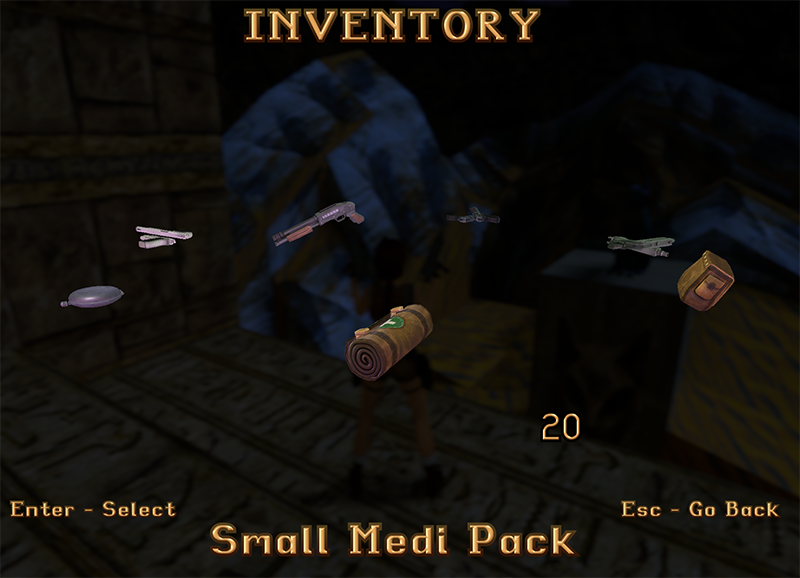
- Open the menu by pressing ESC on PC, or the Options button on consoles
- You should see the compass, move to the right with arrows (or with dpad on some consoles) and you will reach the Medipacks, if you have any available
- Press Enter to use the medipack, either the small or the large one
Join our Facebook Group: Tomb Raider Remastered (I-III, IV-VI)
This works for all the first 3 remastered games! Here is a screenshot from Tomb Raider 1:
Tomb Raider Remastered: Last Revelation and Chronicles
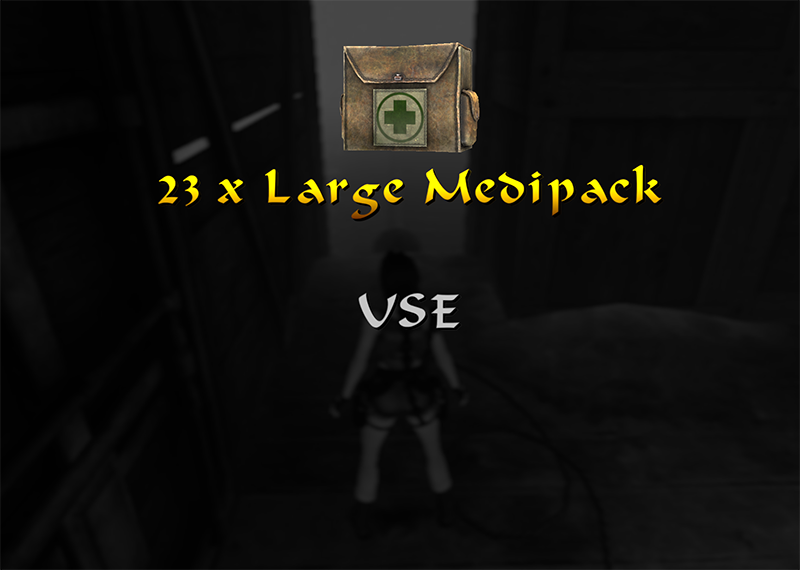
- In a similar way, on Last Revelation (TR4) and Chronicles (TR5) you need to open the Inventory pressing ESC on PC
- Then move to the left to select a medipack
- Press Enter on the medipack you wish yo use
Here is a screenshot from Tomb Raider 4 Remastered:
Tomb Raider VI Remastered: Angel of Darkness
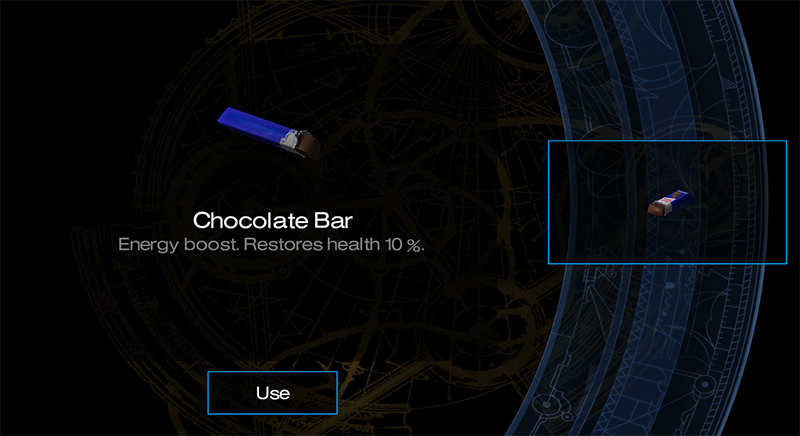
Angel of Darkness works in a different way.
You can either open the menu by pressing ESC, and then go to Health and select the item you wish to use, for example a Chocolate Bar like in the screenshot below, or a medic kit. Press Enter to use it.
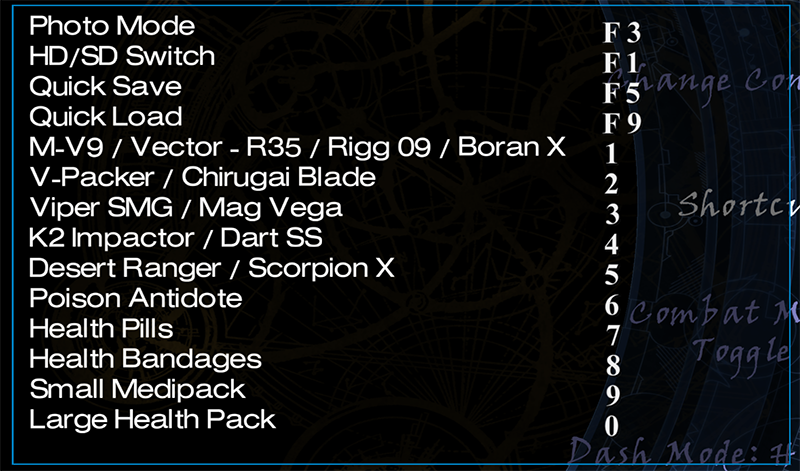
Otherwise, you can also use some Shortcuts as per the screenshot below. Here are the defaults:
- Press 7 to use Health pills
- Press 8 to use Health bandages
- Press 9 to use Small medipacks
- Press 0 to use Large medipacks
To see these shortcuts, open the Menu and go to Options > Control > Shortcuts, here is a screenshot on PC:
If this guide was useful, follow me on Facebook and subscribe on Youtube!
Also read: